Research question
What makes a toy worth playing with?
Four forms of playability
Play, build, operate, collect. Every result is also a new start.
TOY R US breaks the idea of playability into four forms: play, build, operate and collect. The four run as one loop. Each stage takes what the last one leaves behind and hands something on: a loose idea is made, then made again differently, the result is set to work, and what it produces is collected and opened again as a new start.
Playwith imagination
- What it isMaking what you imagine visible.
- Takes inGesture, touch, mouse or a reference image.
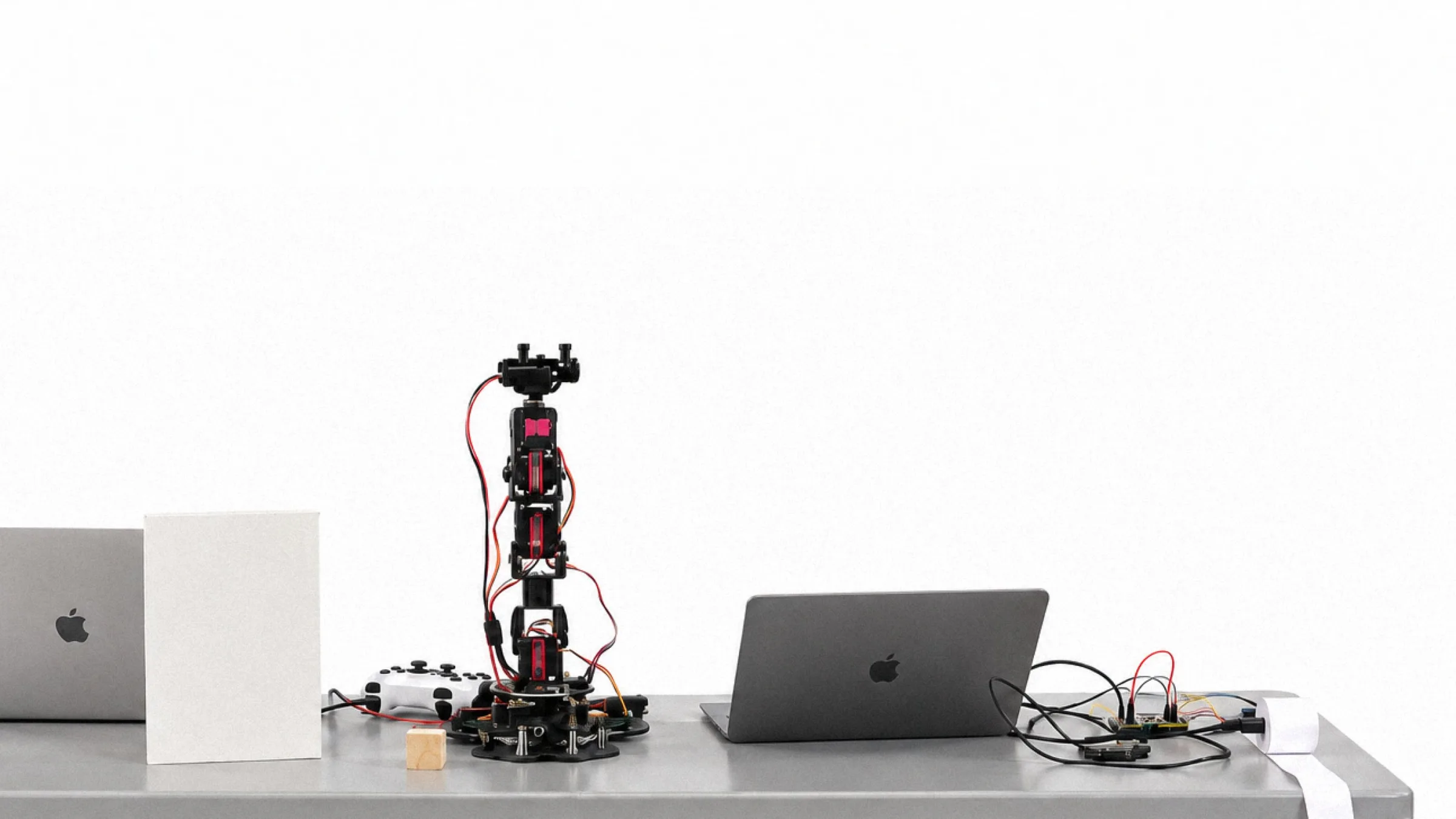
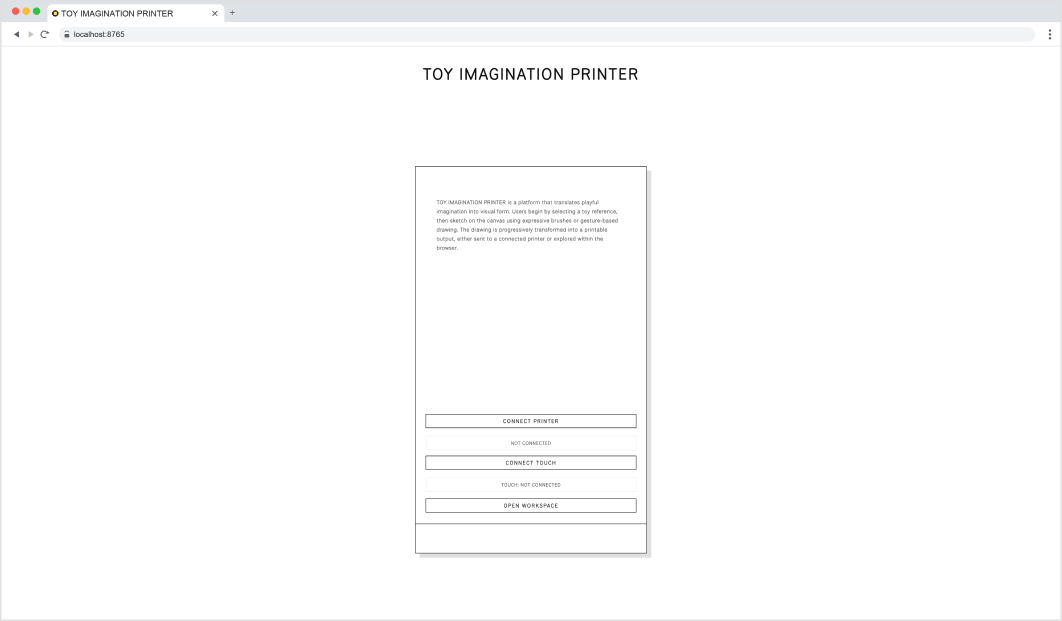
- Works throughToy Imagination Printer: one p5.js canvas, two Arduinos, a thermal printer.
- Hands onA drawing printed as a receipt: a loose idea you can hold.
Buildwith modules and rules
- What it isMaking something, then making it again differently.
- Takes inA loose starting point: random, a letter, typed text or a Library import.
- Works through01 · Construction System: four mediums. 02 · Toy Grammar: limits, pins, Playground.
- Hands onOne form in four mediums, then 26 letters, words, posters and motion.
Operatewith systems
- What it isA defined system, activated.
- Takes inForms that already obey a rule set.
- Works throughServo arm: six servos, each with an ID, an axis and a range. Poses written as commands.
- Hands onVariations, never quite the same twice.
Collectwith variations
- What it isCollecting as organising meaning.
- Takes inEvery output and every variation.
- Works throughThe Library and the book.
- Hands onAn archive that reveals patterns, and a new start for Play.
Play with imagination
Play becomes the entry point into this system. It is through play that rules are first encountered, tested, and understood. Play is not the opposite of structure, but a way of engaging with it. Within play, constraints are not limitations but possibilities.
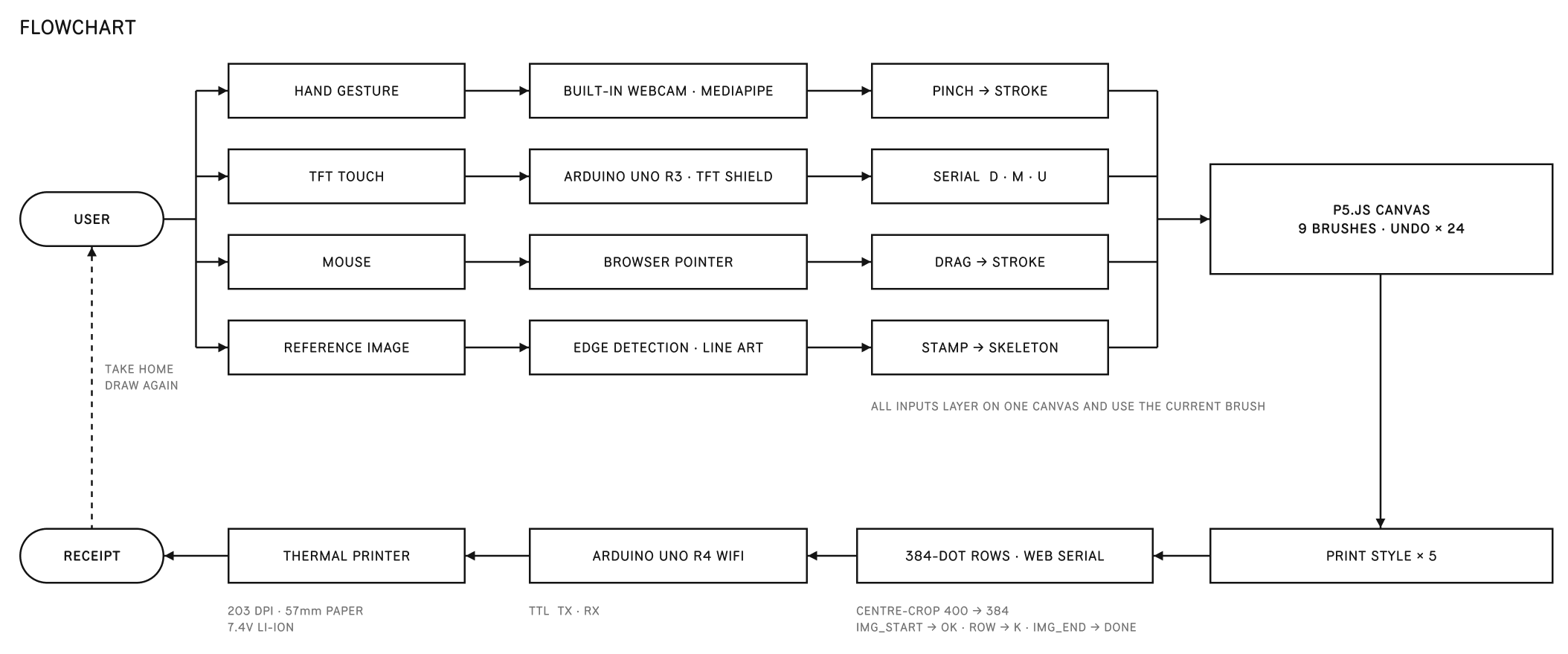
- InputA gesture, a touch, a mouse or a picture.
- CanvasOne canvas, drawn in the brush you picked.
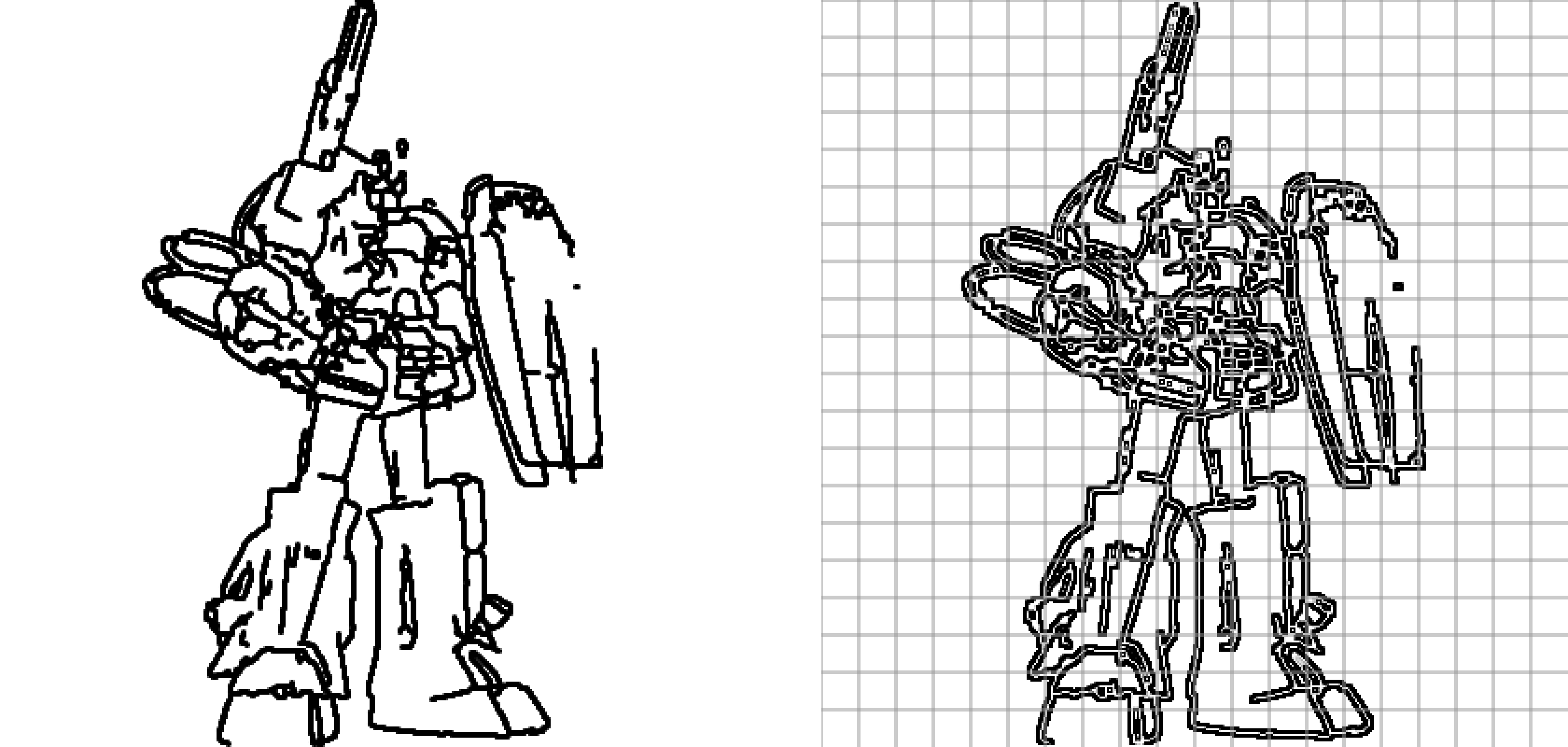
- PrintComes out of the printer like a receipt.
- A loose ideaSomething to hold. Nothing is designed yet.
Play · Toy Imagination Printer
Play starts with a pinch.
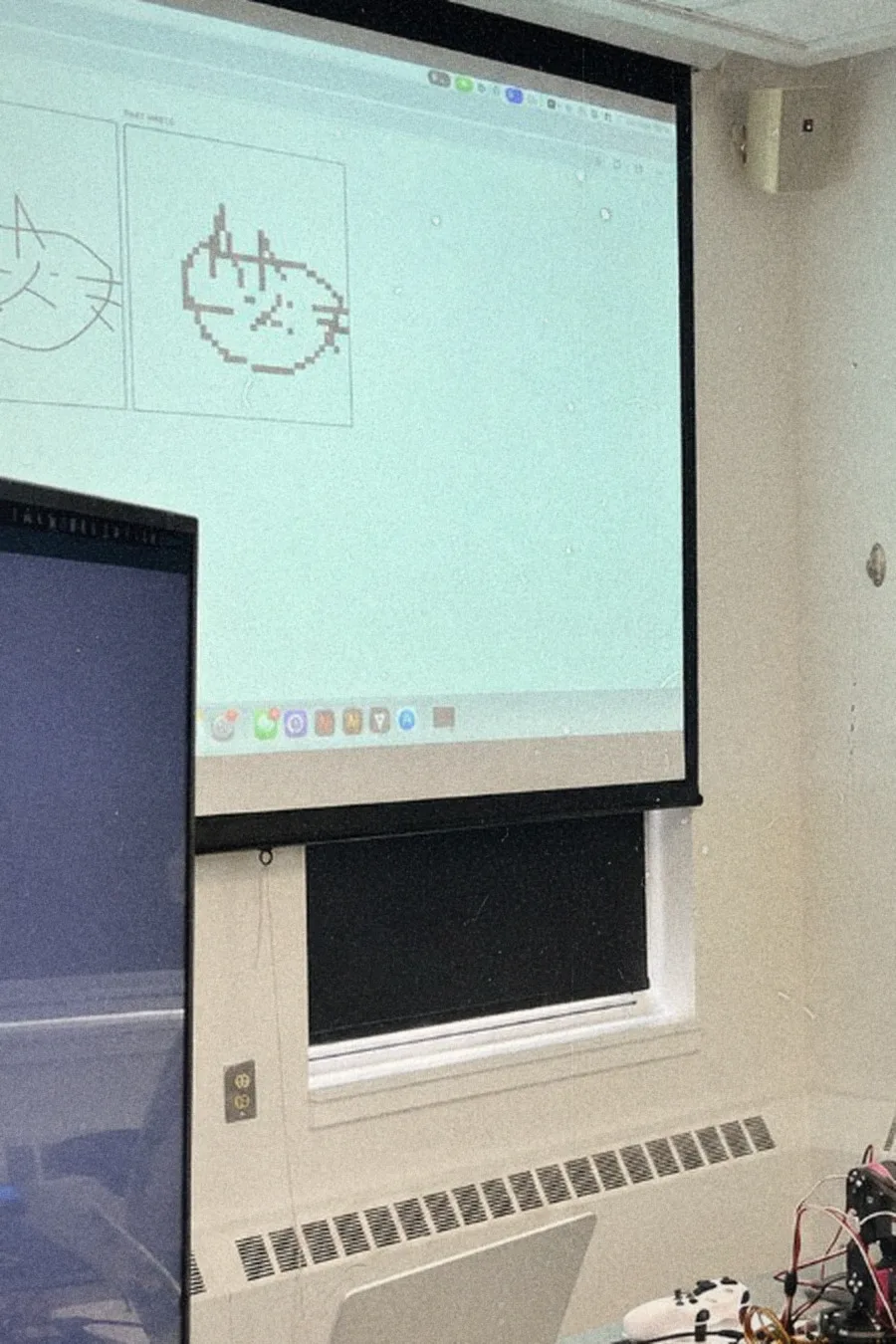
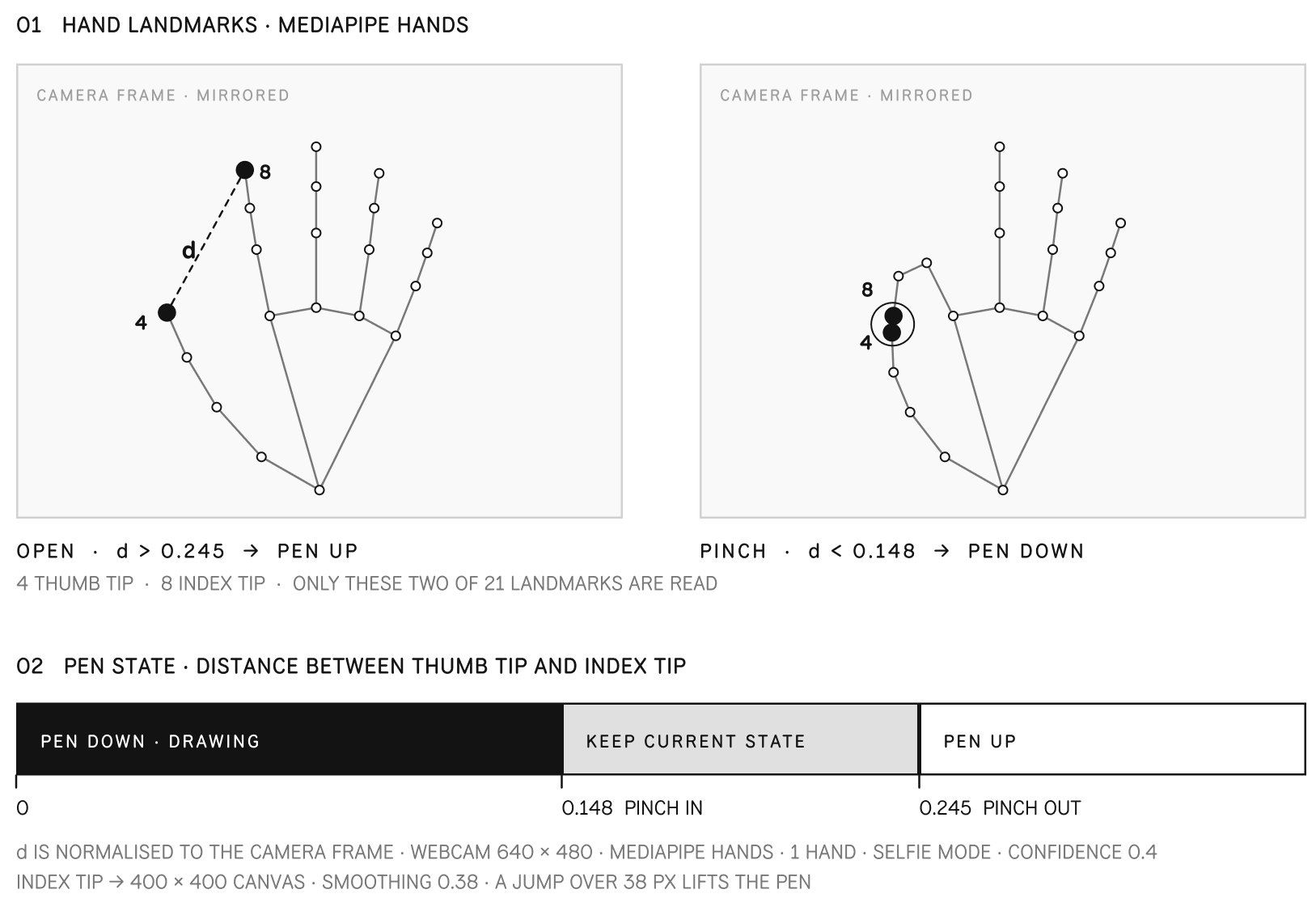
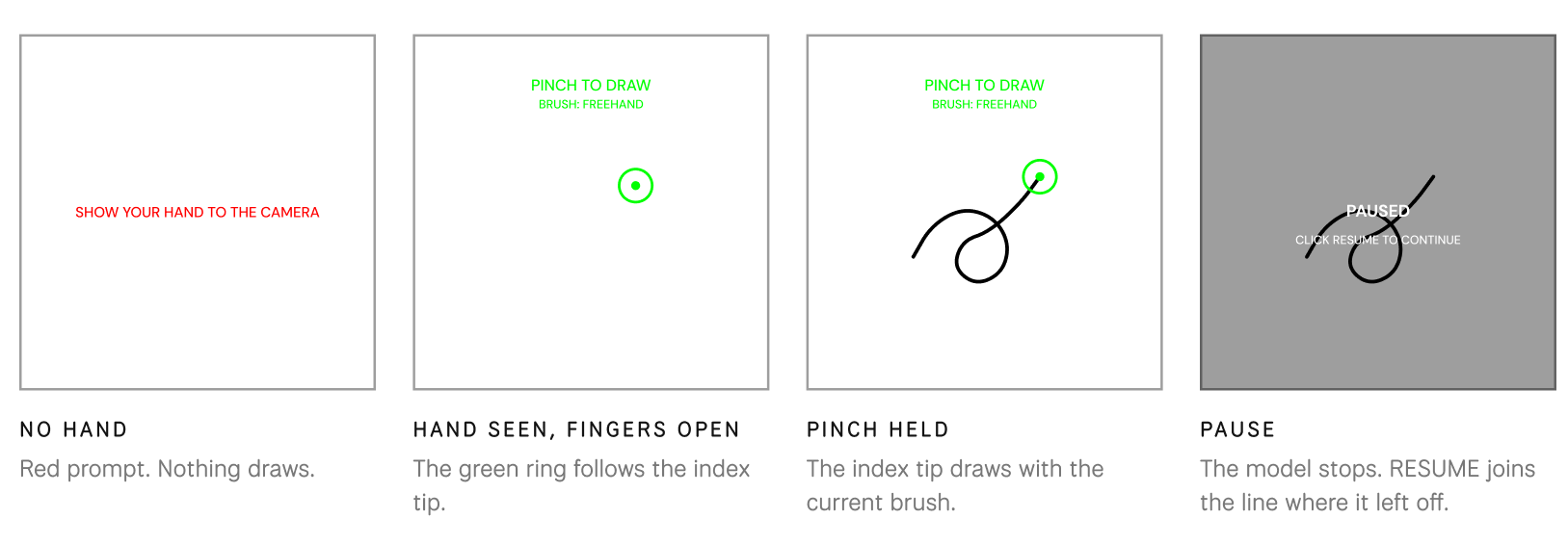
HAND DRAW turns the laptop's built-in webcam into a pen. MediaPipe Hands runs in the browser and tracks one hand in selfie mode; the tool reads only two of its 21 landmarks, the thumb tip and the index tip. Pinch them together and the index tip draws on the 400 × 400 canvas with the current brush. Open them and the stroke ends, ready to undo. The camera picture itself is never shown, only a cursor.
Hardware
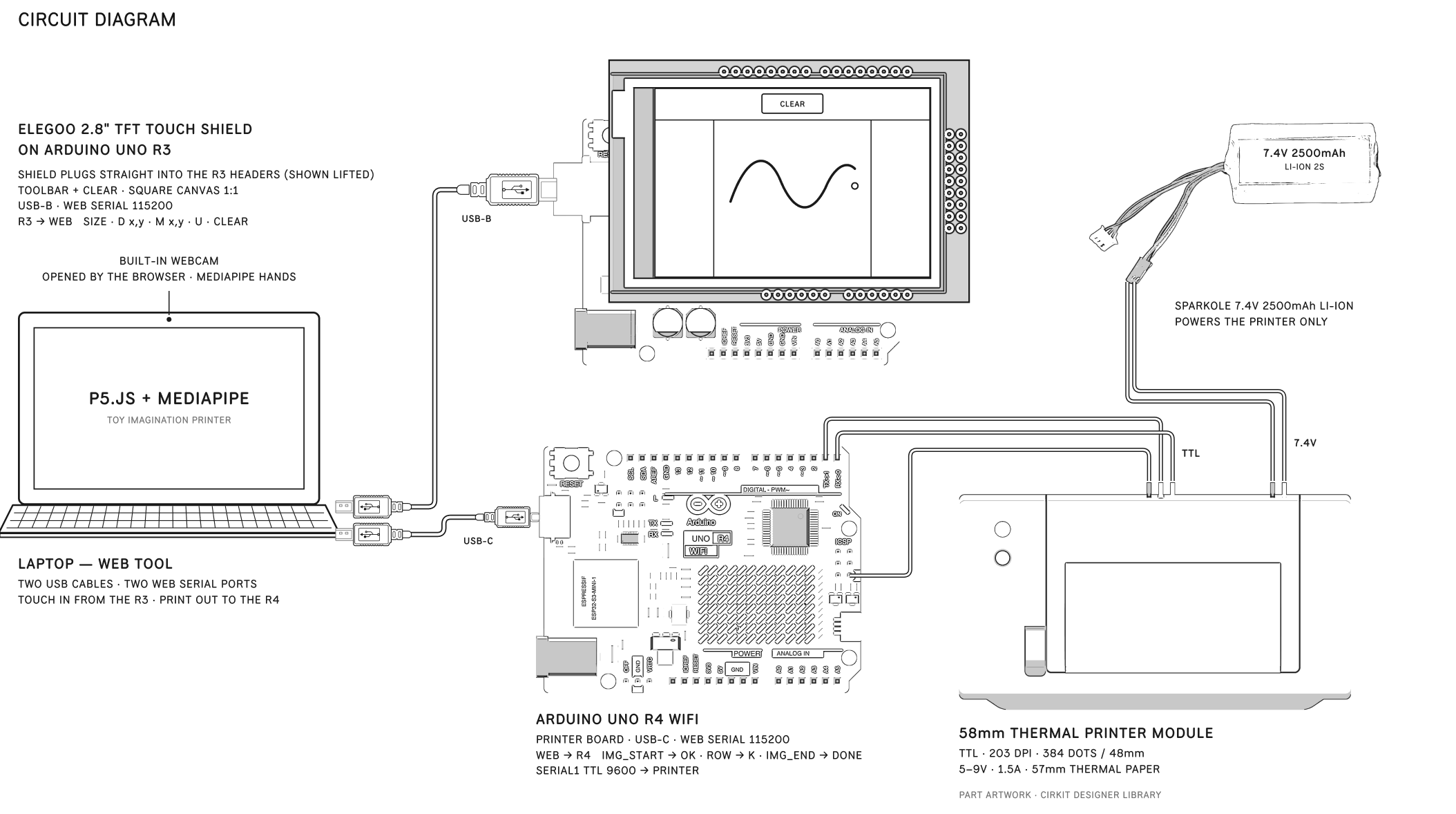
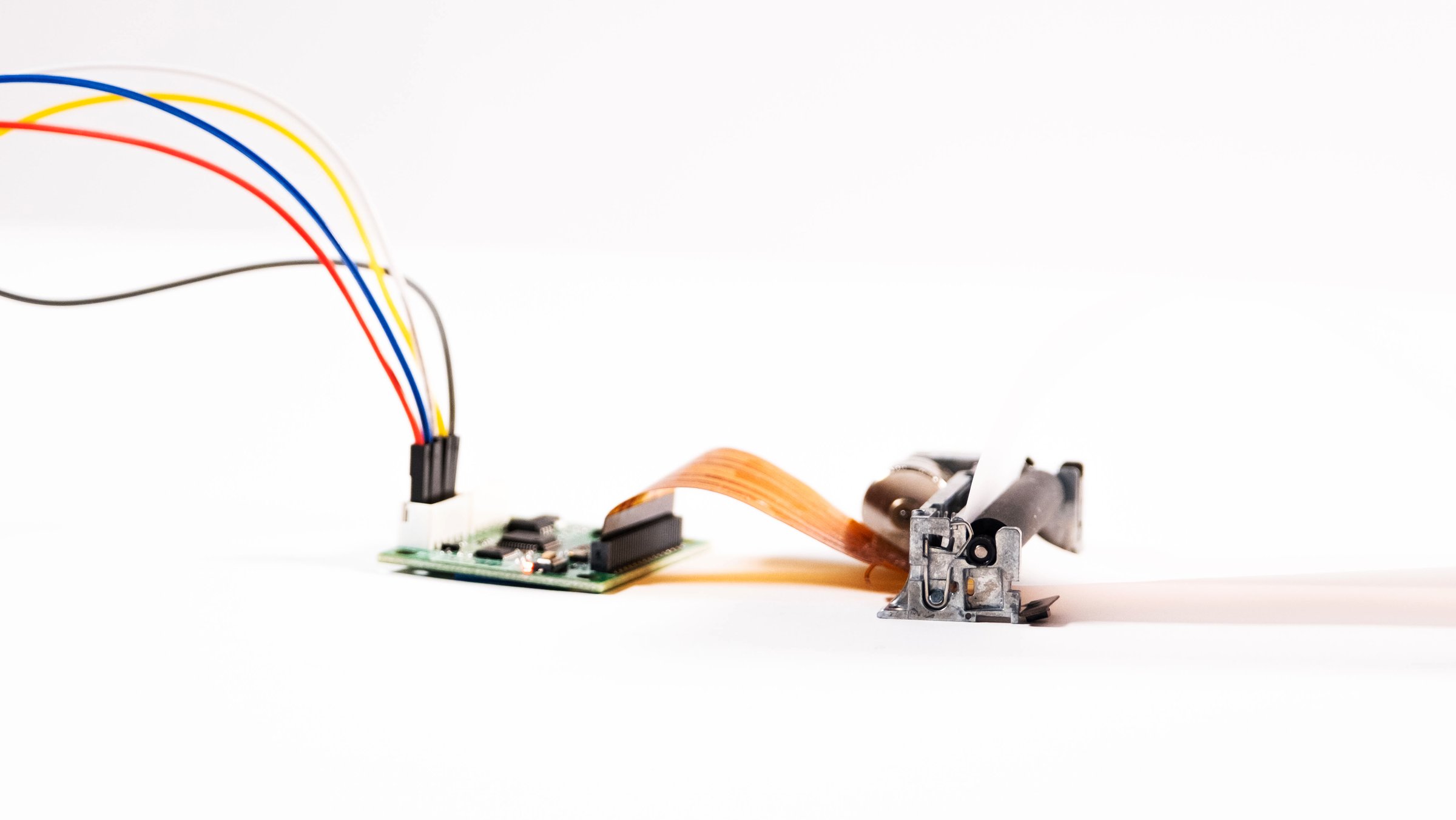
Arduino UNO R4 WiFi and R3 with an ELEGOO 2.8" TFT touch shield, a 58mm thermal printer (203 DPI · 384 dots) and a 7.4V Li-ion battery. Every input lands on one p5.js canvas and leaves as a receipt.
Build with modules and rules
02.1 / Construction System
Build is making something, then making it again differently.
Construction, in this context, goes beyond simply assembling parts and instead focuses on organizing relationships. Each element is defined not only by its shape, but by how it connects to others. Through repetition and recombination, complexity emerges from simplicity.
Four mediums · one logic
A pinch makes a mark. A mark needs a medium.
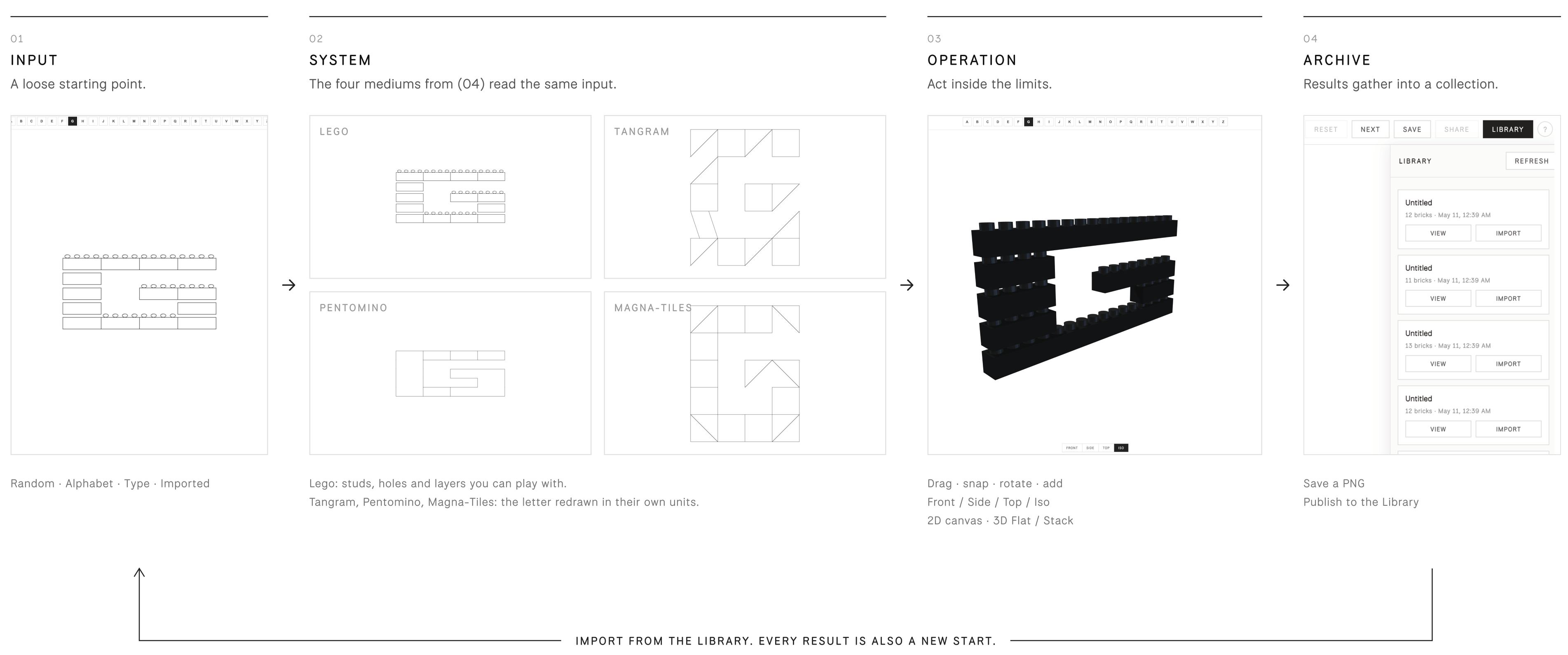
The work is the logic, not the object. Lego, Tangram, Pentomino and Magna-Tiles are the four mediums both builds run on: the brick prototype lets you play with them, and Toy Grammar (Build 02) writes letters in them. Lego is the one you can hold, so it is held closer.

Support




Snapped

Dragged




01
Drag
Pick up a brick and move it over the stack.

02
Snap
It locks only where its holes fit over studs.
03
Stack
It sits one layer above the brick holding it.

04
Hide
Studs it covers are no longer drawn.
If it overlaps another brick, it goes back to where it started.
A pinch makes a mark.
A mark needs a medium.
The work is the logic, not the object. Lego, Tangram, Pentomino and Magna-Tiles are the four mediums both builds run on: the brick prototype lets you play with them, and Toy Grammar (Build 02) writes letters in them. Lego is the one you can hold, so it is held closer.
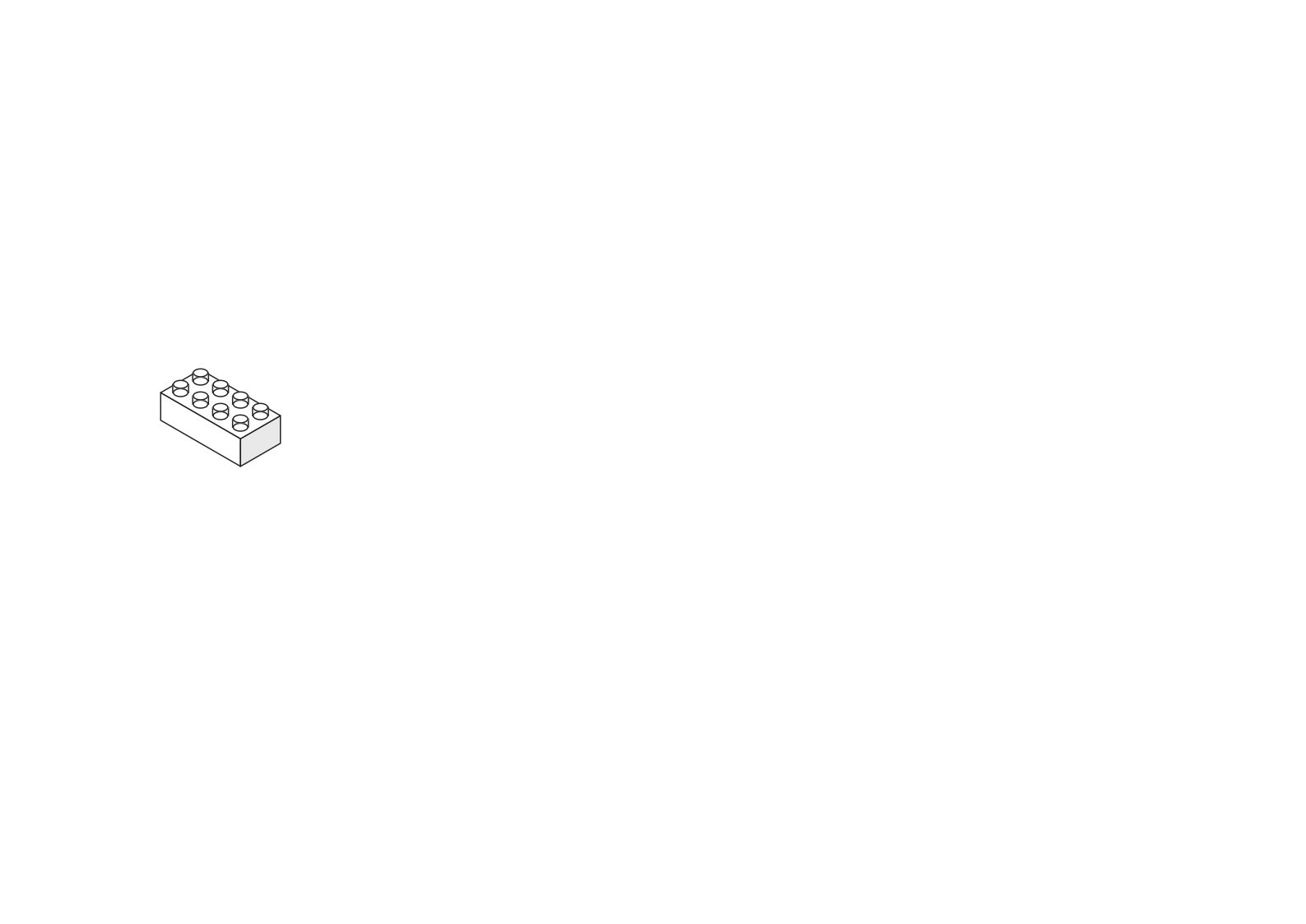
01 Lego
Playable. Opened.




The other mediums
02
Tangram
03
Pentomino
04
Magna-Tiles
- DragPick up a brick and move it over the stack.
- SnapIt locks only where its holes fit over studs.
- StackIt sits one layer above the brick holding it.
- HideStuds it covers are no longer drawn. If it overlaps another brick, it goes back to where it started.
From object to system
The rules, not the object, make the forms.
This step treats toys as playful rather than finished objects. Instead of designing a form directly, it designs the rules, constraints and relationships that forms grow out of. The web prototype makes that loop playable: one input passes through the four mediums, gets reshaped by play, and is kept in an archive that can start the next round.
02.2 / Toy Grammar
The same logic, made again differently: as letters.
Each system operates through its own logic: rules, constraints, and relationships that determine how elements can be combined. Instead of designing form directly, the project focuses on designing the conditions under which form can emerge.
One rule set, twenty-six letters.
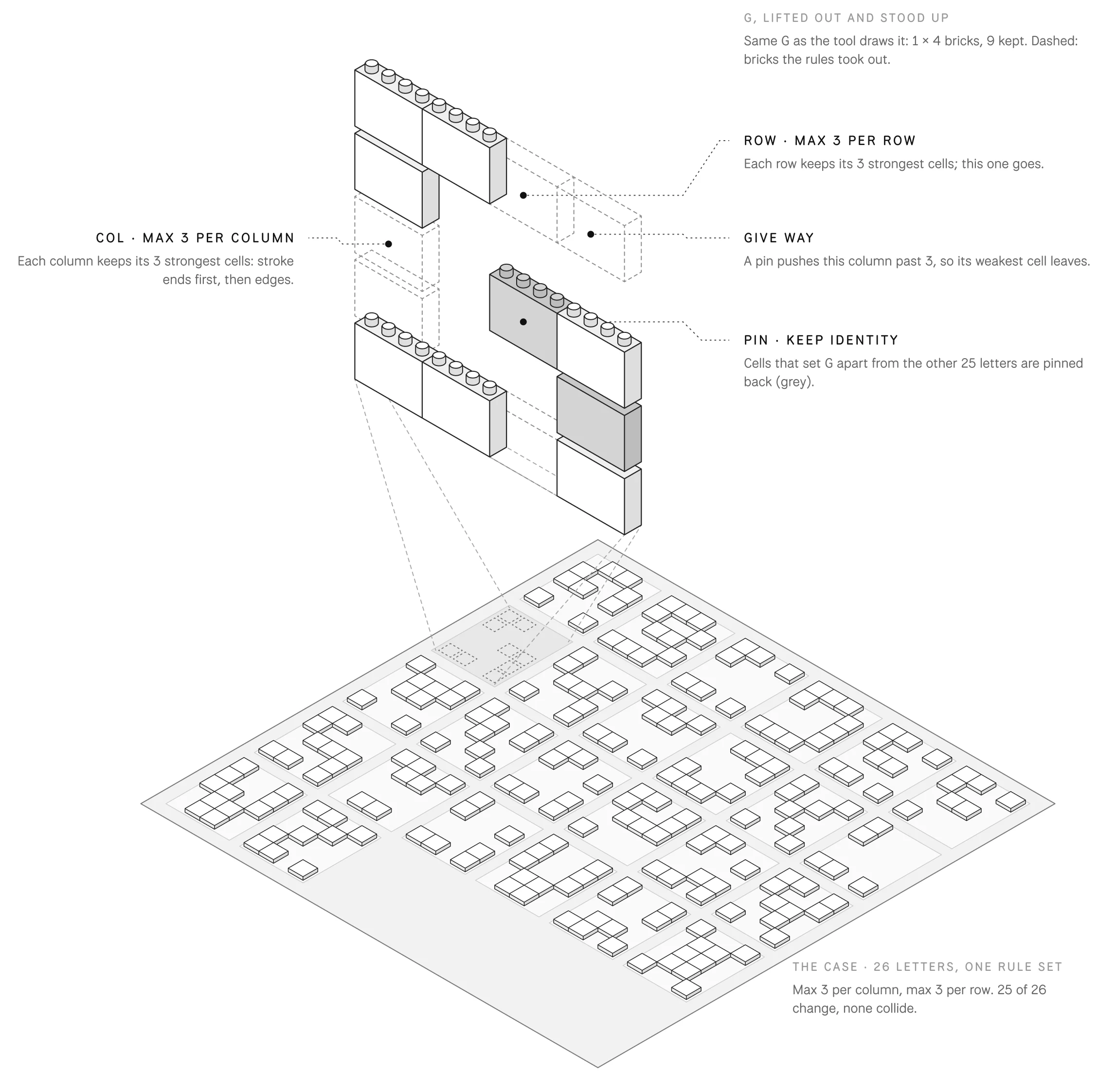
Build 02 is a type tool. Every letter starts as the same 5 × 4 block skeleton. You don't draw letters here; you set rules, and the tool carves all 26 at once, in any of the four mediums. What gets designed is the rule set.
- Define rulesPick one of the four mediums, then limit where blocks may sit: letter area, max per column, max per row, symmetry.
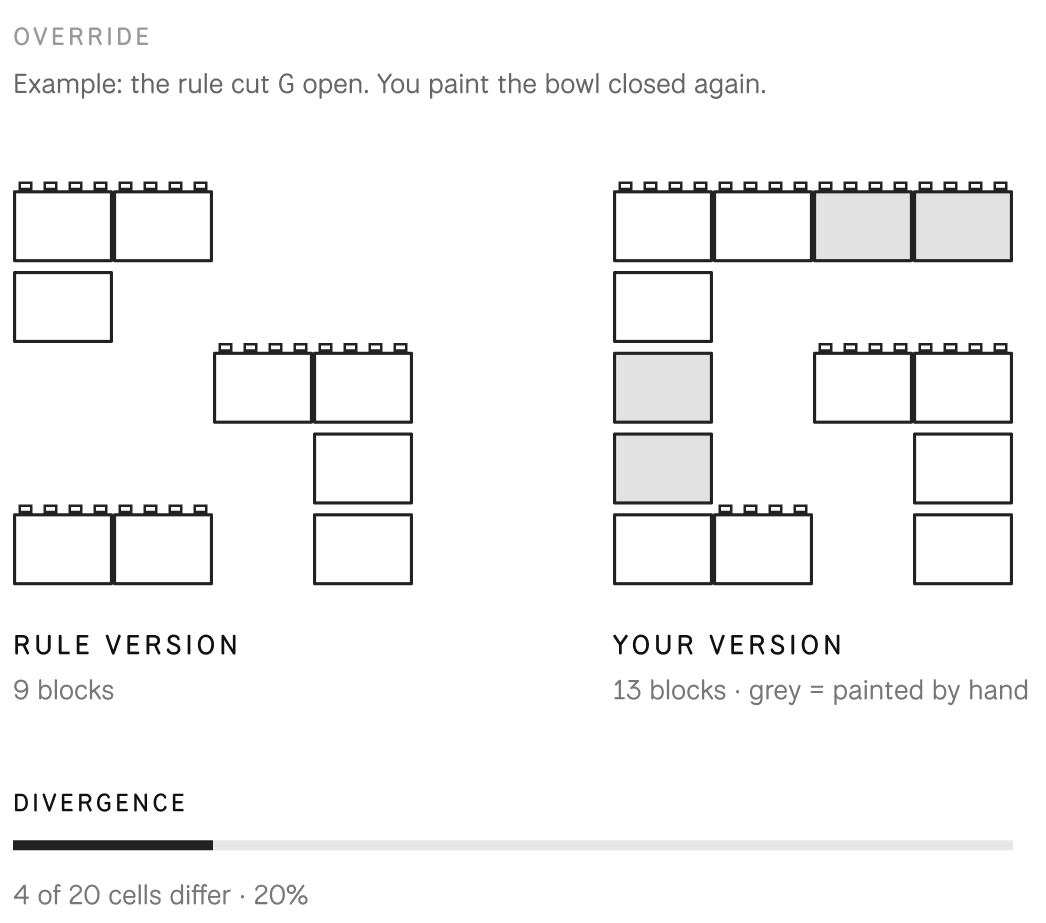
- Override lettersPaint over any letter the rules produced. The tool shows how far you moved from the rule.
- PlaygroundSet words, or redraw each block as a point, line or plane for posters and motion.
Override · limits · Playground
Every rule set has an edge.
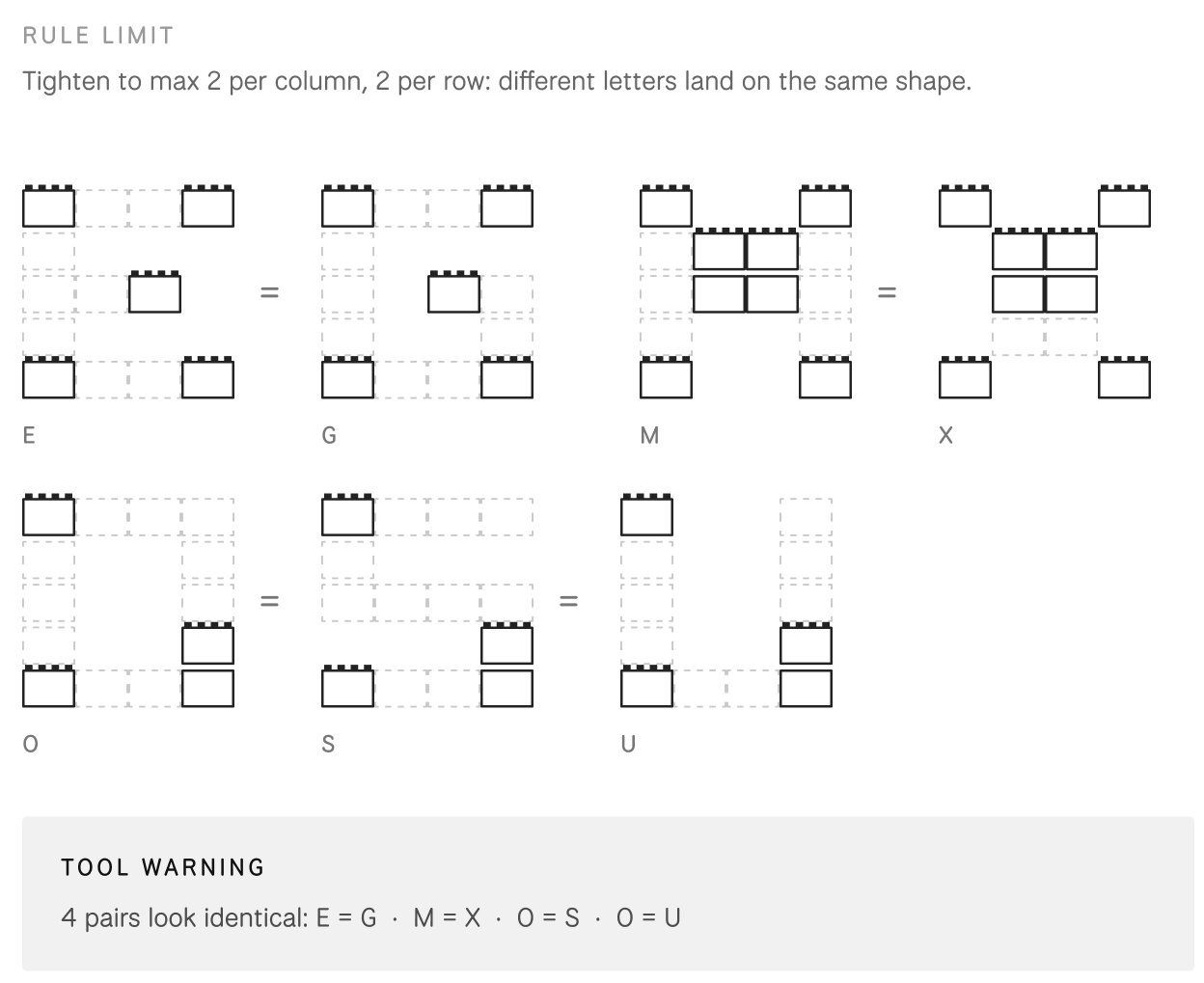
The rules make the alphabet, but they are not the last word. You can paint over any letter, and the tool measures how far you moved. Push the rules too far and letters start to merge; the tool flags it. Inside those edges, the Playground redraws every block.
Under the hood
The edges are computed.
Toy Grammar uses no libraries: Canvas 2D draws every medium and MediaRecorder exports the motion posters. None of the 26 letters is drawn by hand. Each one comes out of the same short pipeline, so changing one rule changes the whole alphabet at once.
Playground
Same output, four ways to draw a block. The rule decides where; the Playground decides how.
Brick
As built
Point
Size 70
Line
Horizontal · weight 18
Plane
Gap 2
Operate with system
Operation introduces another layer. Once a system is defined, it can be activated. Actions such as rotation, repetition, mirroring, and sequencing transform existing forms into new ones. These operations are not arbitrary. They are structured, repeatable, and limited by the system itself.
Joint → servo
At work, the system makes variations.
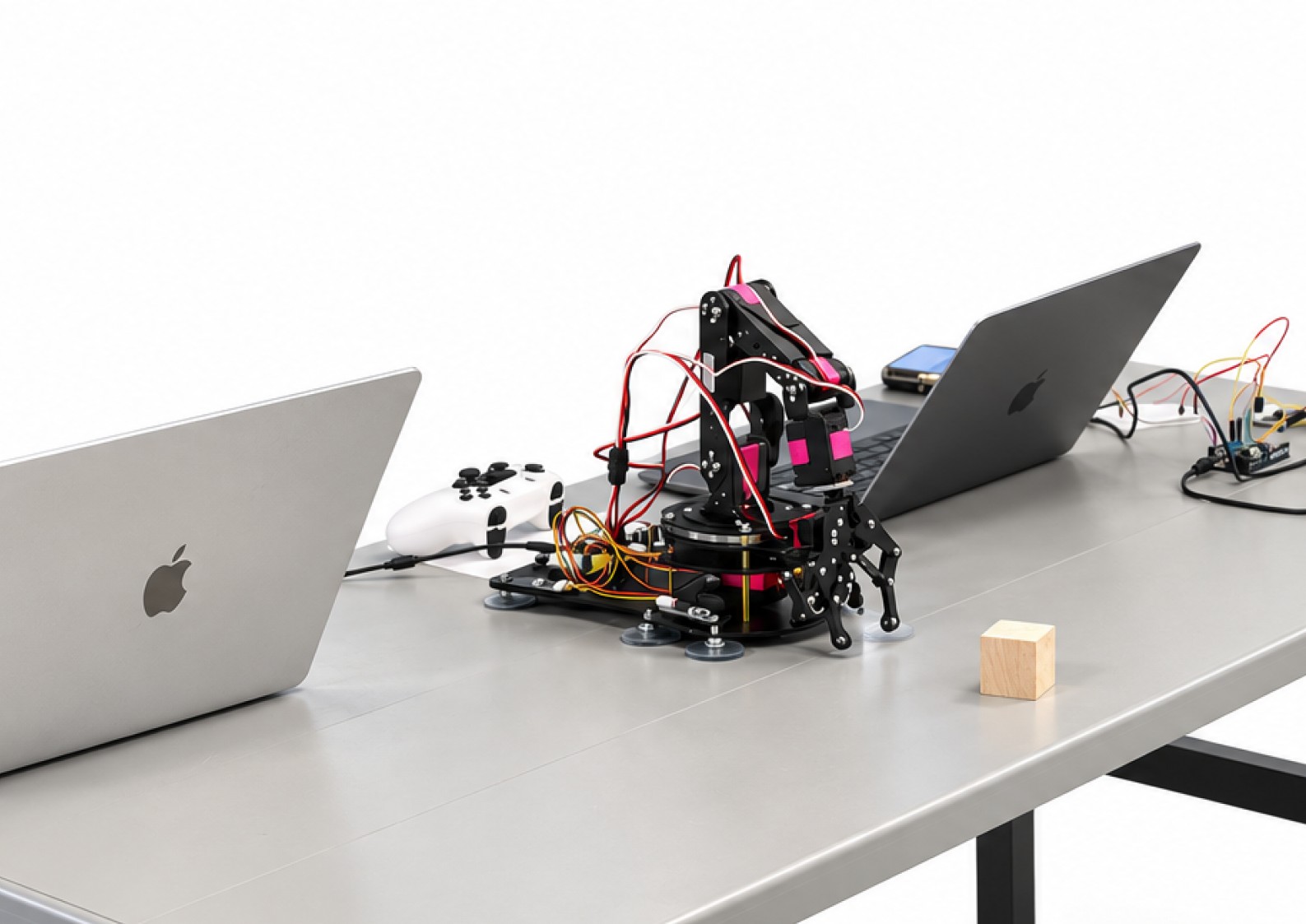
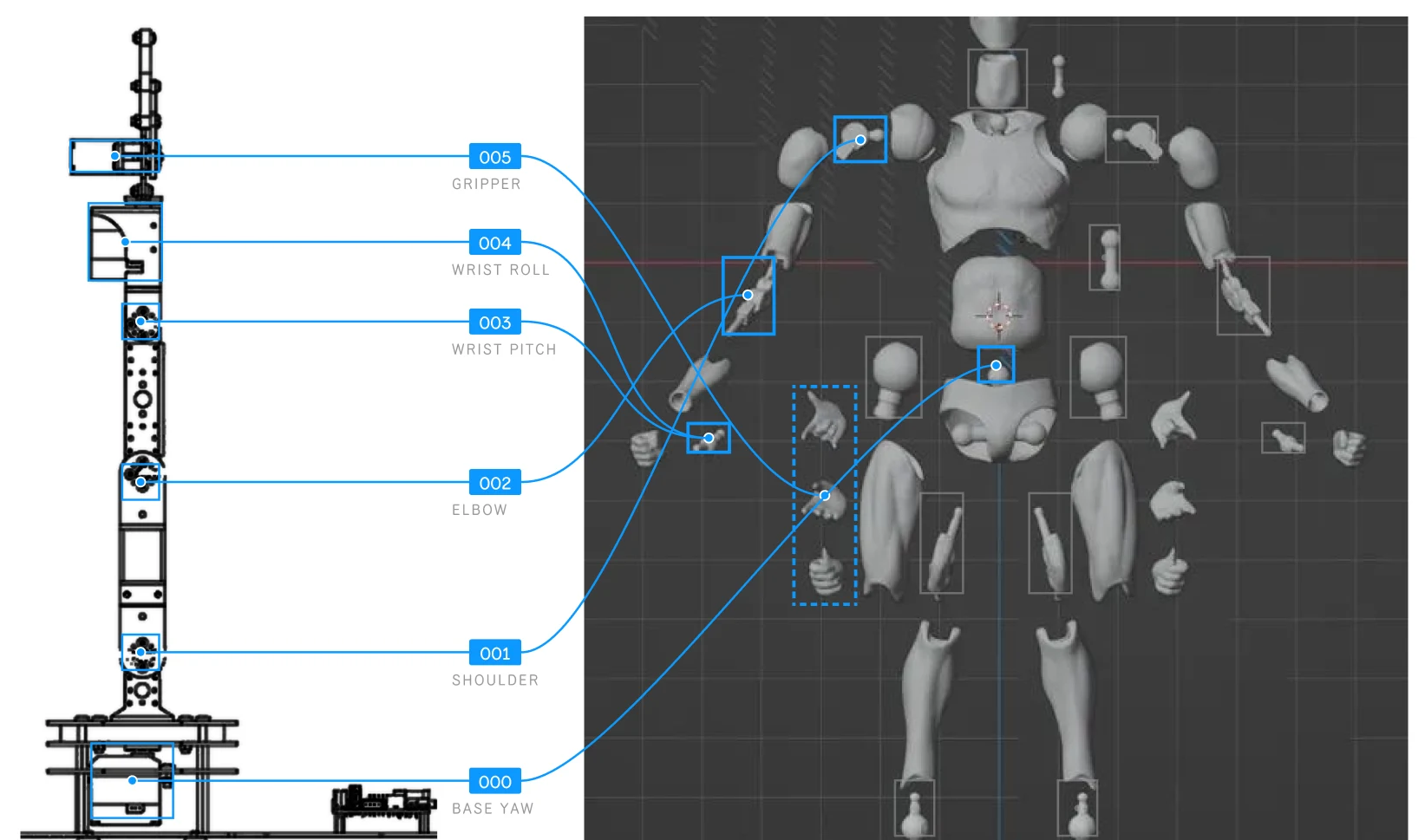
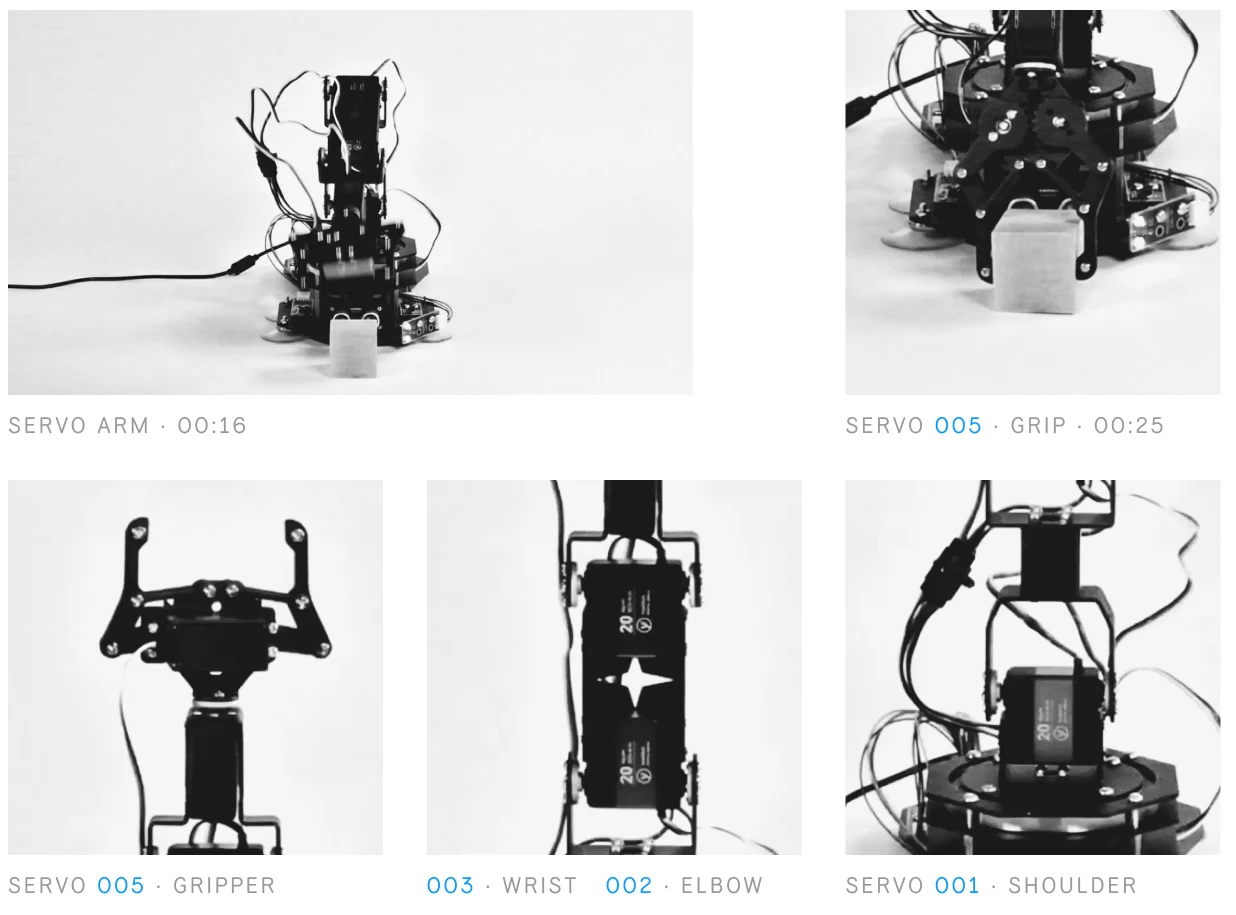
Build defines systems from parts and rules: the Construction System and Toy Grammar. Operate is a different dimension: from defining a system to running one. The robot arm is a system of its own: six servos, each with an ID, one axis and a fixed range. A figure is posed freely by hand; every pose of the arm is structured, repeatable and limited by that system.
Each point of articulation on a highly articulated action figure is a joint posed by hand. A servo turns the same joint into one that can be driven: one servo, one rotational degree of freedom. Read as a system, the robot arm is an action figure whose joints have been given rules: an ID, an axis and a range.
| Action figure | Servo arm | |
|---|---|---|
| Joint | Passive | Actuated |
| Held by | Friction / ratchet | Motor torque |
| DOF per joint | Up to 3 (ball joint) | 1 (one servo) |
| Changed by | Hand | Signal, repeatable |
From the arm's manual
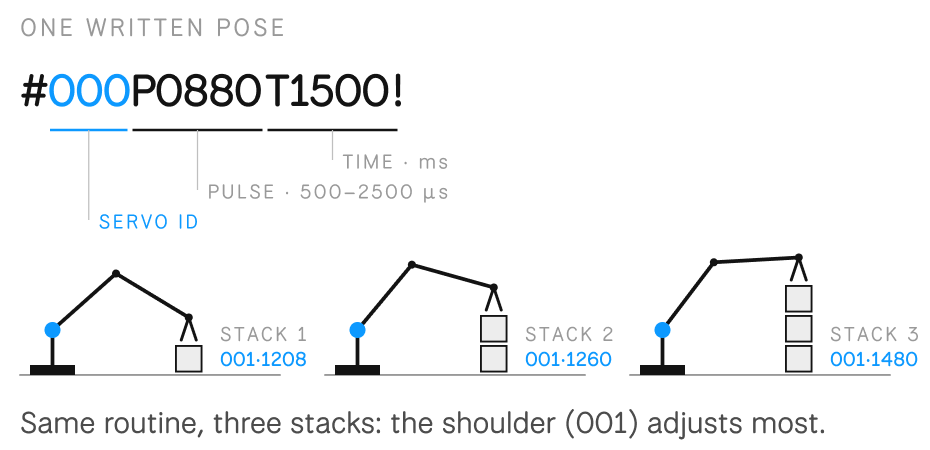
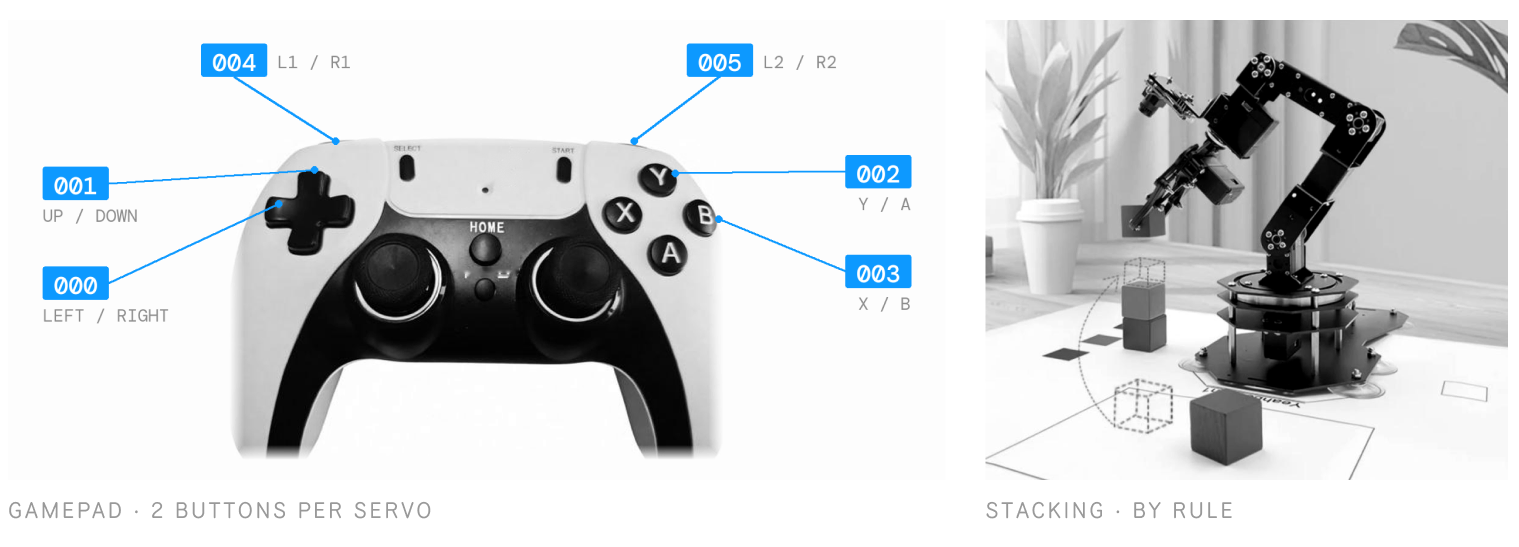
The system has two ways in. A small teaching arm is moved by hand and the servos copy it, the nearest thing to posing a figure. A gamepad addresses each servo by its ID, two buttons per servo. Left alone, it runs on rules: blocks sorted and stacked by colour. In every case, the pose stays inside the system's limits.
Collect with variations
What accumulates becomes the next start.
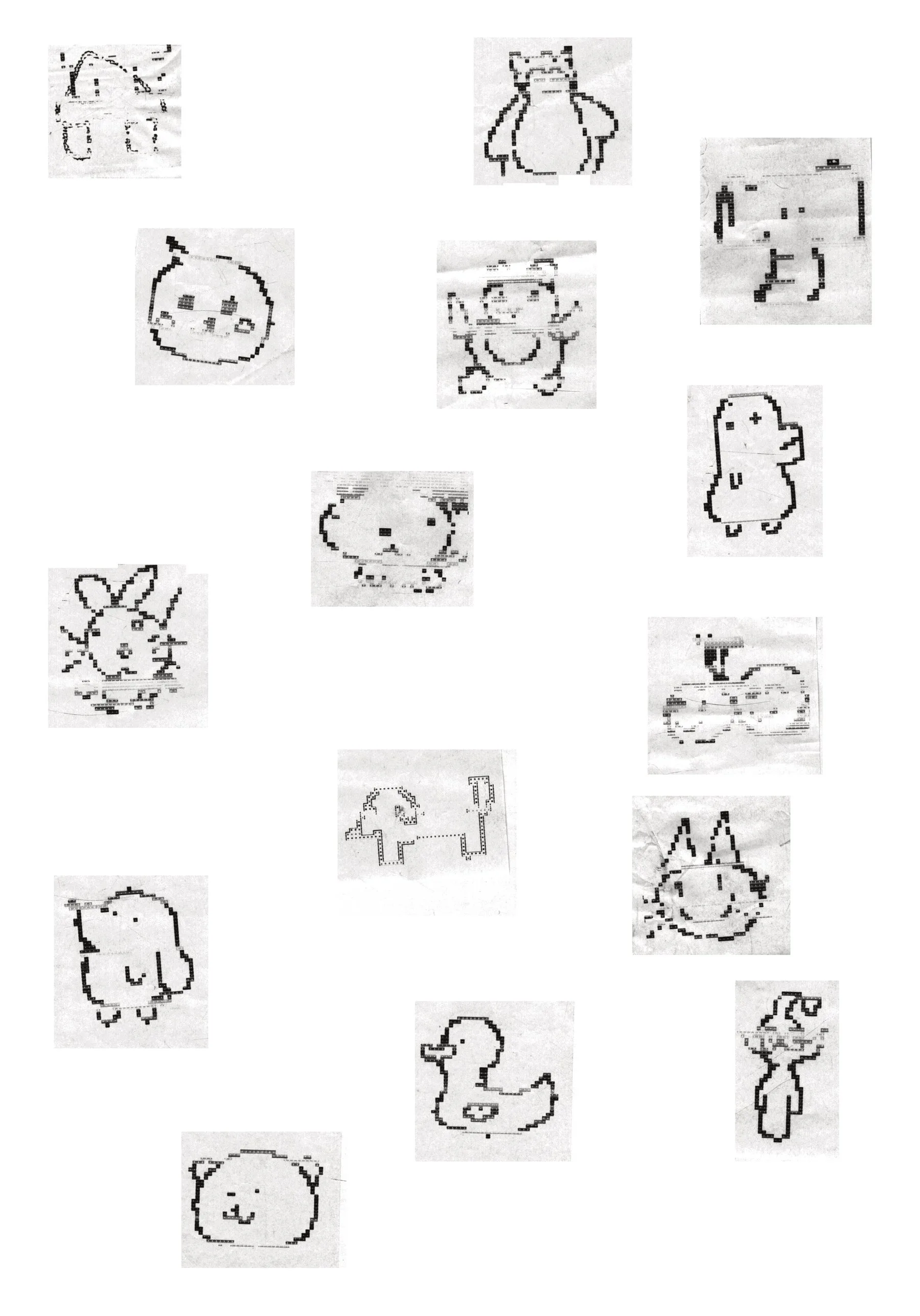
As forms are generated, they accumulate. Each output is part of a larger collection. Over time, this collection begins to reveal patterns. Similarities and differences become visible. The archive is not simply a storage of results, but a structure in itself.
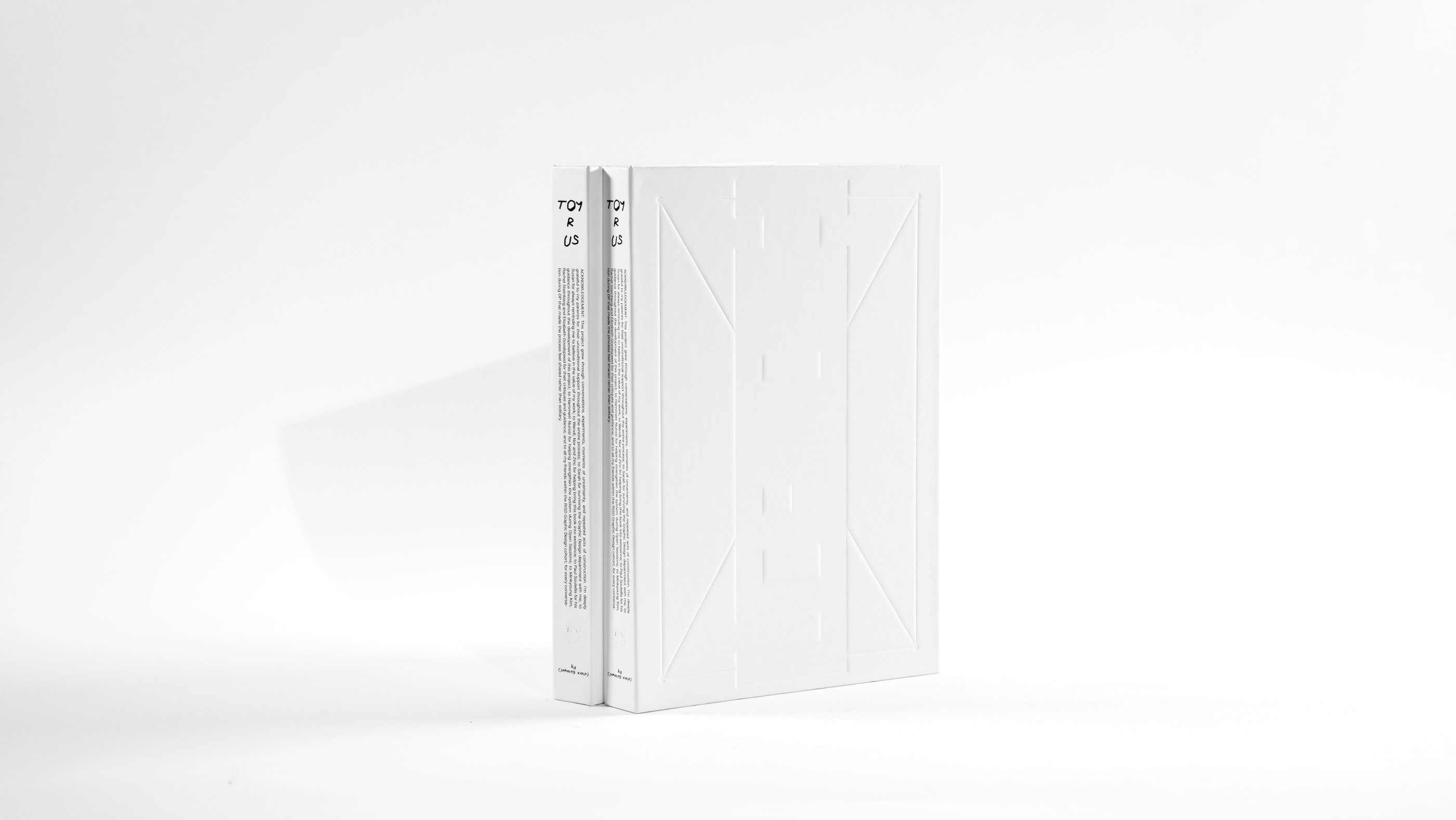
Collect · The book
Inside the book